


Manga Library - مكتبة المانجا
4.176.00 Reviews
App Specs
- Version
- 2.5.1
- Updated On
- License
- Free
- Downloads
- 500,000+
- Developer
- SOUSSI NIAIMI Badr-Eddine
- Categories
- Comics
- Platform
- Android, iOS
Screenshots
 Analysis by AppCompare
When I choose a manga reader, I care less about a long feature list than about three everyday things: whether I can find a series again, whether the pages feel comfortable on my screen, and whether the app fits the way I actually read. Manga Library - مكتبة المانجا is a free comics app by SOUSSI NIAIMI Badr-Eddine, and its pitch is straightforward: keep manga in one place and make chapter reading convenient. It is rated for Everyone, has an average rating of 4.1 from around 4.5K ratings, and has passed 500K installs. Those figures suggest a sizable audience, though they don’t tell me whether its catalog or reading style will suit every fan.
Start with your reading habits
Before installing, I’d ask myself how I usually discover manga. If I already follow a handful of series and mainly want a place to read chapters, a library-focused app can be a practical fit. If I prefer to browse a carefully organized catalog, compare editions, or read through a service tied to a particular publisher, a dedicated storefront or official platform may suit me better. The useful distinction is not simply “more manga” versus “less manga”; it is whether the app’s way of finding and following stories matches my routine.
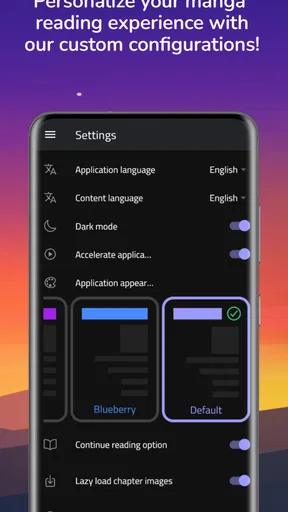
I’d also consider where I read. A phone is handy for a few chapters on a commute or during a break, while a larger screen can make detailed artwork easier to appreciate. Reading direction and page layout matter too: manga commonly uses right-to-left flow, but some readers prefer another arrangement. The app’s version 2.5.1 supports options that let readers tailor those basics, making it more adaptable than a reader that assumes one fixed presentation.
Where a library-style reader makes sense
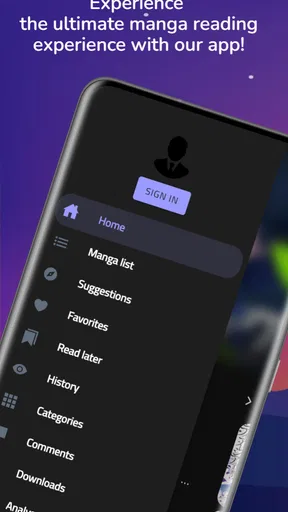
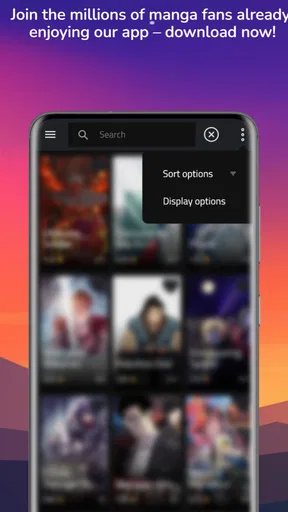
The main appeal for me is having discovery and chapter reading gathered in one app rather than relying on a browser search every time I want to continue a story. Manga Library has genre, author, and rating browsing, alongside search. That combination is useful when I remember a creator or a general mood but not a title, and it also helps when I know exactly what I want and would rather get to it directly.
A realistic use case is a reader who checks a series in short sessions: a chapter before work, a few pages during lunch, then more at home. Bookmarks can help avoid losing a place when attention gets interrupted. My practical tip would be to use a consistent habit—bookmark at the end of a chapter or whenever you stop—rather than trusting memory after switching between several series. That small routine makes a multi-title library easier to manage.
Where another option may be better
For readers who prioritize official releases, a publisher-backed service can be the safer choice because it is built around authorized editions and a clearer relationship to the creators. A general manga library may be more convenient for browsing, but convenience alone is not a substitute for checking whether the particular titles and releases you care about are available in the form you want. Readers who need a very specific catalog should search for their essential series before making this their main reading app.
There is also a difference between a reader and a social network. Sharing and discussion can add a community angle, but anyone who mainly wants a quiet, distraction-free reading session may not care about those extras. Conversely, a fan whose favorite part is talking through weekly plot turns may still prefer a dedicated forum or community space. I’d treat social features as a bonus, not the deciding reason to install.
Worth Reading Before You Choose

EA SPORTS FC Mobile 26 Is a Bigger Football Game, but It Takes Time

Flipboard Shows What News Apps Must Do Beyond the Feed

Switching to Android Auto Means Rethinking Your Driving Routine

Google Calendar Makes a Crowded Week Easier to Manage

Ludo King Makes the Most of the Minutes Between Plans

Baby Panda World Brings Quick Play to Modern Phones, but Its Game Library Feels Busy
What switching involves
Moving from another reader is easiest if I first make a short list of the series I’m currently following and note the chapter where I stopped. Bookmarks are only helpful once I have rebuilt that context in the new app. I would test one or two chapters before moving my whole routine, checking whether the page flow, text size, and display options feel comfortable on my device.
The app is free, which makes that trial low-commitment, but changing readers still has a small organizational cost: reading positions, saved titles, and personal habits may not transfer automatically. I wouldn’t assume that a bookmark or reading history will follow me between apps. If I read across multiple devices, I’d test that workflow early rather than waiting until I have several series in progress.
First Impressions: A Manga Wonderland
Right off the bat, opening Manga Library - مكتبة المانجا feels like stepping into a manga wonderland. The interface is sleek and inviting, with that dark mode option we all love for those late-night reading marathons. The homepage is thoughtfully curated, showcasing trending titles and personalized recommendations based on your reading history.
What I appreciate most is how intuitive the navigation is. You can easily browse through genres, authors, and even ratings to discover new series. The search function is robust, so finding that obscure manga you've been hunting for is a breeze.
Features That Stand Out
There are a few features that I found particularly noteworthy. Firstly, the offline reading option. For those times when you’re off the grid, having your favorite titles downloaded is a lifesaver. It’s like carrying a portable manga library in your pocket.
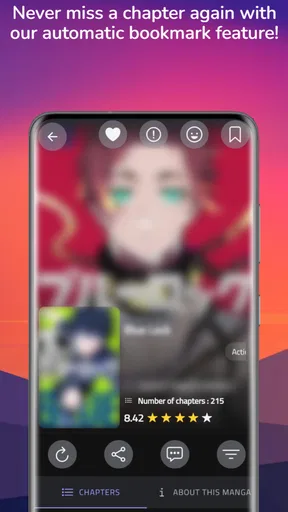
Another cool feature is the bookmarking system. You can effortlessly mark your favorite chapters or save where you left off. The app also syncs across devices, so you can switch from your phone to your tablet without missing a beat.
And let's not forget the customization options. You can adjust the reading direction, page layout, and even the background color. Whether you prefer the traditional right-to-left or the Western left-to-right, the choice is yours.
Content Galore: Dive Into Endless Stories
The content library in Manga Library - مكتبة المانجا is, in a word, vast. From shonen to seinen, romance to horror, there’s something for every manga lover. The app is consistently updated with new releases and the latest chapters, so you’re always in the loop with your favorite series.
I was impressed by the quality of the translations as well. The dialogue retains the essence of the original language, which is crucial for maintaining the story’s authenticity. Plus, the high-resolution scans make the artwork pop, enhancing the overall reading experience.
Community and Social Sharing
One of the aspects that sets this app apart is its community features. You can connect with fellow manga fans, share what you're reading, and even join discussions about the latest plot twists. It’s like having a mini manga club at your fingertips.
Social sharing options are also integrated seamlessly. You can easily share your favorite manga or chapters on social media platforms, spreading the manga love far and wide.
Final Thoughts: A Must-Have for Manga Fans
All in all, Manga Library - مكتبة المانجا is a fantastic app for anyone who loves manga. Its user-friendly interface, extensive content library, and community features make it a standout choice. Whether you’re a manga newbie or a seasoned aficionado, this app has a lot to offer.
So, if you’re ready to dive into a world of amazing stories and captivating art, give this app a try. Just be prepared for many sleepless nights because once you start, it’s hard to stop!
Who I’d recommend it to
I’d point casual and regular manga readers toward this app if they want search, browsing, and reading tools together, and if they enjoy adjusting how pages appear. It may also suit someone who is still exploring genres and wants to move between a known title and a fresh discovery without starting a separate search elsewhere. The minimum operating system is Android 7.0, so device compatibility is worth checking before planning a switch.
I’d be more cautious if I were choosing an app specifically for a particular translation, a dependable release schedule, or a catalog tied to a named publisher. Those needs are title-specific, so I would look up the exact series first rather than assume that a broad library covers it. The same goes for readers who need their reading history to migrate neatly: I’d test the basics before relying on the app as my only archive.
A few practical checks before settling in
When I try a new manga reader, I start with a series I already know. That makes it easier to judge whether page order feels natural and whether the art remains comfortable to view on my screen. I’d then search for a less familiar title using a creator or genre instead of only the exact name. This tests both discovery and direct search, two different jobs that can feel quite different in everyday use.
For offline reading, I’d prepare chapters while connected rather than wait until a trip or a weak-signal moment. I’d also open a saved chapter once before relying on it away from a connection, so I know the offline workflow is behaving as expected on my device. This is a small, useful precaution for any reader who plans to use downloads for a commute or travel day.
On a shared or small screen, presentation settings can matter more than a crowded feature menu. I’d experiment with direction and layout using a short chapter, then settle on one arrangement instead of changing it mid-story. That reduces the chance of losing the rhythm of a page turn, especially when switching between manga with different visual pacing.
My bottom line
Manga Library is worth trying if you want a free, flexible place to explore and read manga, and the combination of search, browsing, bookmarks, and display choices matches your habits. Its 4.1 average rating and established install base make it a familiar option for many readers, but neither number replaces checking your own must-have titles and reading workflow. I’d start with a few chapters, test the features I expect to use most, and only then make it my everyday reader.
If official editions, a specific catalog, or a highly portable reading history matter most to you, compare suitable alternatives before settling in. If your priority is simply to find stories, keep your place, and make the page feel comfortable, this app has a sensible case. My recommendation is to give it a focused trial, not an automatic commitment: the right manga app is the one that fits the way you read, not the one with the longest list of promises.
Pros
- Extensive manga collection available.
- User-friendly interface and design.
- Offline reading mode supported.
- Frequent updates with new titles.
- Supports multiple languages.
Cons
- Contains ads in the free version.
- Limited customization options.
- Requires registration for some features.
- Occasional loading delays reported.
- Some titles may lack translations.
FAQs for Manga Library - مكتبة المانجا
What is Manga Library - مكتبة المانجا and how does it work?
Manga Library - مكتبة المانجا is a comprehensive app designed for manga enthusiasts. It allows users to browse, read, and organize a vast collection of manga titles. The app supports offline reading, customizable reading modes, and offers regular updates to its library. It’s user-friendly and provides a seamless reading experience with features like bookmarks and search options.
Is Manga Library - مكتبة المانجا free to use, or are there any in-app purchases?
Manga Library - مكتبة المانجا is free to download and offers a generous selection of manga for free reading. However, it also includes optional in-app purchases for premium features, such as ad-free reading, exclusive content, and early access to new releases. These purchases support the app’s development and enhance the user experience.
What devices and operating systems are compatible with Manga Library - مكتبة المانجا?
Manga Library - مكتبة المانجا is available for both Android and iOS devices. It's compatible with most smartphones and tablets running on Android 5.0 and above, or iOS 11.0 and above. The app is optimized for various screen sizes, ensuring a smooth user experience across different devices.
How often is new manga content added to Manga Library - مكتبة المانجا?
New manga content is added to Manga Library - مكتبة المانجا regularly. The app updates its library weekly, ensuring that users have access to the latest chapters and titles. This frequent update schedule keeps the content fresh and engaging, catering to both casual readers and avid manga fans.
Can I read manga offline with Manga Library - مكتبة المانجا?
Yes, Manga Library - مكتبة المانجا allows users to download manga for offline reading. This feature is particularly useful for users who want to read on the go without relying on a constant internet connection. Simply download your favorite titles while online, and enjoy them anytime, anywhere.


